kubesphere
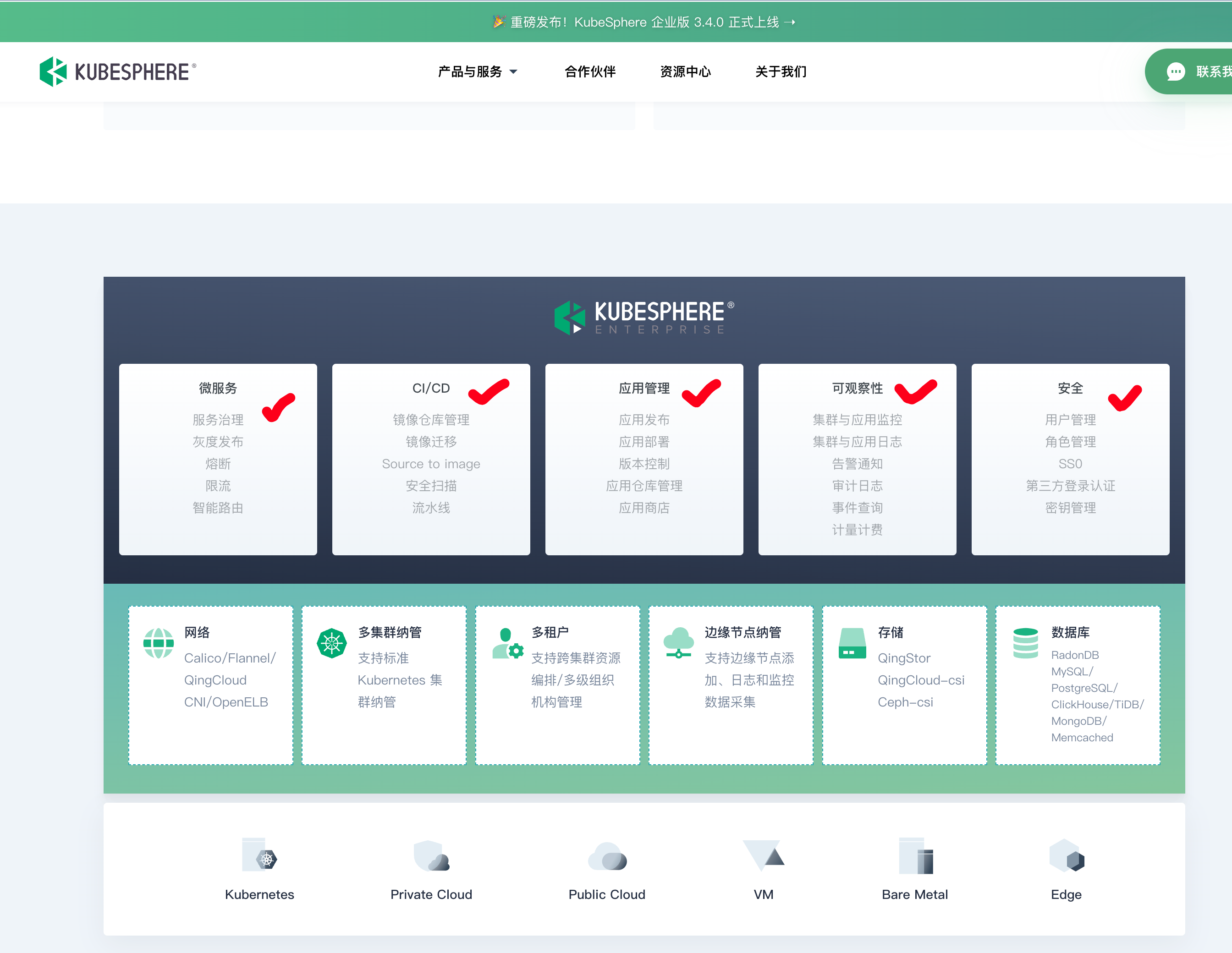
KubeSphere 是由中国企业 QingCloud 开发和维护的,它是一个开源的 Kubernetes 容器平台,完全兼容 Kubernetes,提供了一些额外的功能和工具,帮助用户更加方便地管理和操作 Kubernetes 集群。
KubeSphere 是一个开源的 Kubernetes 容器平台,提供一站式的解决方案,包括部署、监控、日志、存储、CI/CD 等功能。KubeSphere 可以帮助用户快速搭建 Kubernetes 集群,并提供简单易用的 Web 界面,方便用户管理和操作 Kubernetes 集群。
下面是一些 KubeSphere 的特点和优势:
- 多租户管理:
KubeSphere提供多租户的管理模式,可以让不同的用户或团队在同一个 Kubernetes 集群中独立部署和管理自己的应用,提高集群利用率和管理效率。 - 应用市场:
KubeSphere提供了一个应用市场,用户可以在其中选择并安装自己需要的应用程序,大大简化了应用程序的部署流程。 - 简单易用的 Web 界面:
KubeSphere提供了一个简单易用的 Web 界面,用户可以在其中管理 Kubernetes 集群中的各种资源,包括应用程序、容器、服务、负载均衡器、存储等等。 - 内置的 DevOps 工具:
KubeSphere提供了内置的 DevOps 工具,包括持续集成(CI)、持续交付(CD)、自动化测试等等,帮助用户快速构建自己的 DevOps 环境。 - 多云管理:
KubeSphere可以管理不同云厂商的 Kubernetes 集群,例如阿里云、腾讯云、AWS 等等,让用户可以在不同云厂商之间灵活迁移。
对比rancher
KubeSphere 和 Rancher 都是开源的 Kubernetes 容器平台,它们提供了一些相似的功能,例如多租户管理、应用市场、Web 界面、DevOps 工具等等。
不同之处在于,KubeSphere 主要关注于 Kubernetes 集群的管理和运维,提供了一些 Kubernetes 相关的扩展功能和工具,例如多云管理、云原生应用开发和运维、Kubernetes 存储管理等等,帮助用户更加方便地管理和操作 Kubernetes 集群。
而 Rancher 则提供了更加综合的容器管理平台,不仅支持 Kubernetes,还支持 Docker Swarm、Mesos 等容器编排和管理平台,同时提供了一些企业级的功能和工具,例如多集群管理、安全策略、监控和告警、服务网格等等。
安装文档
https://kubesphere.io/zh/docs/v3.3/installing-on-kubernetes/introduction/prerequisites/
在k8s中安装kubeSphere
安装的版本为v3.3.1
前置要求
- 要求集群中存在默认的
StorageClass,上篇中我们把nfs设置为了集群默认的存储类,因此满足要求。 - 集群安装metrics-server
- k8s-master配置,扩容到10G内存、4CPU
下载初始化、安装文件
wget https://github.com/kubesphere/ks-installer/releases/download/v3.3.1/kubesphere-installer.yaml
wget https://github.com/kubesphere/ks-installer/releases/download/v3.3.1/cluster-configuration.yaml

# 最新版部署有错误,需要安装如下yaml
wget https://raw.githubusercontent.com/kubesphere/notification-manager/master/config/bundle.yaml
修改cluster-configuration.yaml全局配置,关于普罗米修斯的,用我们自己装的prometheus。
这里有个注意点,跨namespace的访问,要注意访问规则
service-name.namespace.svc:9090
修改集群配置文件
开关功能就是修改这里
部署ks-installer
[root@k8s-master ~/kubeSphere-all]#kubectl apply -f kubesphere-installer.yaml
customresourcedefinition.apiextensions.k8s.io/clusterconfigurations.installer.kubesphere.io created
namespace/kubesphere-system created
serviceaccount/ks-installer created
clusterrole.rbac.authorization.k8s.io/ks-installer created
clusterrolebinding.rbac.authorization.k8s.io/ks-installer created
deployment.apps/ks-installer created

# 看创建了什么安装器
[root@k8s-master ~/kubeSphere-all]#kubectl -n kubesphere-system get all
NAME                                READY   STATUS    RESTARTS   AGE
pod/ks-installer-746f68548d-mlcsc   1/1     Running   0          19s

NAME                           READY   UP-TO-DATE   AVAILABLE   AGE
deployment.apps/ks-installer   1/1     1            1           19s

NAME                                      DESIRED   CURRENT   READY   AGE
replicaset.apps/ks-installer-746f68548d   1         1         1       19s


# 安装器会读取该配置,完成安装配置
[root@k8s-master ~/kubeSphere-all]#kubectl apply -f cluster-configuration.yaml
clusterconfiguration.installer.kubesphere.io/ks-installer created

# 还要安装一个bundle的认证文件
[root@k8s-master ~/kubeSphere-all]#kubectl apply -f bundle.yaml


# 查看pod
[root@k8s-master ~/kubeSphere-all]#kubectl -n kubesphere-system get po
NAME                            READY   STATUS              RESTARTS   AGE
ks-installer-746f68548d-2lf6p   0/1     ContainerCreating   0          19s


# 查看创建的namespace
[root@k8s-master ~]#kubectl get ns |grep kubesphere
kubesphere-controls-system        Active   15h
kubesphere-monitoring-federated   Active   15h
kubesphere-monitoring-system      Active   15h
kubesphere-system                 Active   15h
- kubesphere-controls-system(KubeSphere控制器系统命名空间):
- 该命名空间用于存放KubeSphere平台的控制器系统组件和资源。
- 这些组件和资源负责管理KubeSphere平台的各个控制器,例如项目控制器、应用控制器和用户管理控制器等。
- kubesphere-monitoring-federated(KubeSphere联合监控命名空间):
- 该命名空间用于实现KubeSphere平台的联合监控功能。
- 联合监控允许用户在KubeSphere平台上集中管理和监控多个Kubernetes集群。
- kubesphere-monitoring-system(KubeSphere监控系统命名空间):
- 该命名空间用于存放KubeSphere监控系统的组件和资源。
- KubeSphere监控系统负责监测和收集Kubernetes集群中的各种指标和日志。
- kubesphere-system(KubeSphere系统命名空间):
- 该命名空间用于存放KubeSphere平台的核心组件和资源。
- 这些组件包括KubeSphere API Server、控制器管理器、控制台以及其他必要的支持组件。
这些命名空间是为了在KubeSphere平台中对不同的组件和功能进行分类和隔离而创建的。每个命名空间都承担特定的角色和功能,以支持KubeSphere平台的各个方面。
坑记录
默认安装会有一个报错
  "stdout": "fatal: [localhost]: FAILED! => {\"attempts\": 3, \"changed\": true, \"cmd\": \"/usr/local/bin/helm upgrade --install notification-manager /kubesphere/kubesphere/notification-manager -f /kubesphere/kubesphere/notification-manager/custom-values-notification.yaml -n kubesphere-monitoring-system --force\\n\", \"delta\": \"0:00:00.603881\", \"end\": \"2023-05-06 11:42:33.031300\", \"msg\": \"non-zero return code\", \"rc\": 1, \"start\": \"2023-05-06 11:42:32.427419\", \"stderr\": \"Error: rendered manifests contain a resource that already exists. Unable to continue with install: ClusterRole \\\"notification-manager-controller-role\\\" in namespace \\\"\\\" exists and cannot be imported into the current release: invalid ownership metadata; label validation error: missing key \\\"app.kubernetes.io/managed-by\\\": must be set to \\\"Helm\\\"; annotation validation error: missing key \\\"meta.helm.sh/release-name\\\": must be set to \\\"notification-manager\\\"; annotation validation error: missing key \\\"meta.helm.sh/release-namespace\\\": must be set to \\\"kubesphere-monitoring-system\\\"\", \"stderr_lines\": [\"Error: rendered manifests contain a resource that already exists. Unable to continue with install: ClusterRole \\\"notification-manager-controller-role\\\" in namespace \\\"\\\" exists and cannot be imported into the current release: invalid ownership metadata; label validation error: missing key \\\"app.kubernetes.io/managed-by\\\": must be set to \\\"Helm\\\"; annotation validation error: missing key \\\"meta.helm.sh/release-name\\\": must be set to \\\"notification-manager\\\"; annotation validation error: missing key \\\"meta.helm.sh/release-namespace\\\": must be set to \\\"kubesphere-monitoring-system\\\"\"], \"stdout\": \"Release \\\"notification-manager\\\" does not exist. Installing it now.\", \"stdout_lines\": [\"Release \\\"notification-manager\\\" does not exist. Installing it now.\"]}",
  "uuid": "6d6aa712-cc9d-40f6-bd9f-0013a7c2f431"
}
******************************************************************************************************************************************************
解决办法
[root@k8s-master ~/kubeSphere-all]#kubectl apply -f bundle.yaml

wget https://raw.githubusercontent.com/kubesphere/notification-manager/master/config/bundle.yaml
确保看到如下输出

kubesphere-system组件检查
[root@k8s-master ~/kubeSphere-all]#kubectl -n kubesphere-system get po
NAME                                     READY   STATUS    RESTARTS   AGE
ks-apiserver-567fcb899d-7dxjd            1/1     Running   0          5m42s
ks-console-7d65f5d8d-blvv9               1/1     Running   0          5m42s
ks-controller-manager-5d8b59b66f-lq6mn   1/1     Running   0          5m42s
ks-installer-746f68548d-lbmgk            1/1     Running   0          6m48s

# all
[root@k8s-master ~/kubeSphere-all]#kubectl -n kubesphere-system get all
NAME                                         READY   STATUS    RESTARTS   AGE
pod/ks-apiserver-567fcb899d-7dxjd            1/1     Running   0          6m40s
pod/ks-console-7d65f5d8d-blvv9               1/1     Running   0          6m40s
pod/ks-controller-manager-5d8b59b66f-lq6mn   1/1     Running   0          6m40s
pod/ks-installer-746f68548d-lbmgk            1/1     Running   0          7m46s

NAME                            TYPE        CLUSTER-IP       EXTERNAL-IP   PORT(S)        AGE
service/ks-apiserver            ClusterIP   10.104.148.223   <none>        80/TCP         6m40s
service/ks-console              NodePort    10.102.208.134   <none>        80:30880/TCP   6m40s
service/ks-controller-manager   ClusterIP   10.110.1.16      <none>        443/TCP        6m40s

NAME                                    READY   UP-TO-DATE   AVAILABLE   AGE
deployment.apps/ks-apiserver            1/1     1            1           6m40s
deployment.apps/ks-console              1/1     1            1           6m40s
deployment.apps/ks-controller-manager   1/1     1            1           6m40s
deployment.apps/ks-installer            1/1     1            1           7m46s

NAME                                               DESIRED   CURRENT   READY   AGE
replicaset.apps/ks-apiserver-567fcb899d            1         1         1       6m40s
replicaset.apps/ks-console-7d65f5d8d               1         1         1       6m40s
replicaset.apps/ks-controller-manager-5d8b59b66f   1         1         1       6m40s
replicaset.apps/ks-installer-746f68548d            1         1         1       7m46s
[root@k8s-master ~/kubeSphere-all]#

# ks-api-server
[root@k8s-master ~/kubeSphere-all]#kubectl -n kubesphere-system logs ks-apiserver-567fcb899d-7dxjd
W0506 11:42:53.139023       1 client_config.go:615] Neither --kubeconfig nor --master was specified.  Using the inClusterConfig.  This might not work.
W0506 11:42:53.139828       1 client_config.go:615] Neither --kubeconfig nor --master was specified.  Using the inClusterConfig.  This might not work.
W0506 11:42:53.144693       1 options.go:191] ks-apiserver starts without redis provided, it will use in memory cache. This may cause inconsistencies when running ks-apiserver with multiple replicas.
I0506 11:42:53.144720       1 interface.go:50] start helm repo informer
I0506 11:42:53.282133       1 apiserver.go:417] Start cache objects
I0506 11:42:53.897836       1 apiserver.go:601] Finished caching objects
I0506 11:42:53.897861       1 apiserver.go:298] Start listening on :9090
[root@k8s-master ~/kubeSphere-all]#
- ks-apiserver:KubeSphere API Server是KubeSphere平台的核心组件之一,它负责处理来自用户和其他组件的API请求,提供对KubeSphere功能和资源的访问和管理。
- ks-console:KubeSphere控制台是KubeSphere平台的用户界面,提供了一个可视化的管理界面,用于管理和监控Kubernetes集群以及KubeSphere特定的功能,例如项目、应用模板、DevOps管道等。
- ks-controller-manager:KubeSphere控制器管理器是KubeSphere平台的核心组件之一,它负责处理控制器的逻辑,例如项目控制器、应用控制器、用户管理控制器等,确保这些控制器按照预期运行并维护所需的状态。
- ks-installer:KubeSphere安装器是用于安装和部署KubeSphere平台的组件,它负责初始化和配置整个KubeSphere系统。安装器通常在安装过程完成后不再需要运行。
这些组件共同构成了KubeSphere平台的核心部分,提供了对Kubernetes集群的管理、应用部署和监控、用户权限管理等功能。
kubesphere自动装的prometheus
[root@k8s-master ~]#kubectl -n kubesphere-monitoring-system get po
NAME                                             READY   STATUS    RESTARTS       AGE
alertmanager-main-0                              2/2     Running   0              9m32s
alertmanager-main-1                              2/2     Running   0              9m31s
alertmanager-main-2                              2/2     Running   0              9m30s
kube-state-metrics-6f6ffbf895-8hfk6              3/3     Running   0              10m
node-exporter-6mtm8                              2/2     Running   0              10m
node-exporter-f9dhp                              2/2     Running   0              10m
node-exporter-lzfgp                              2/2     Running   0              10m
notification-manager-operator-7cdf945864-ggfbw   2/2     Running   5 (105s ago)   8m33s
prometheus-k8s-0                                 2/2     Running   0              9m30s
prometheus-k8s-1                                 2/2     Running   0              9m28s
prometheus-operator-b56bb98c4-8vchv              2/2     Running   0              10m
[root@k8s-master ~]#
ks-controller-manager
[root@k8s-master ~]#kubectl -n kubesphere-controls-system get all
NAME                                        READY   STATUS    RESTARTS   AGE
pod/default-http-backend-69478ff5f9-5cllz   1/1     Running   0          12m
pod/kubectl-admin-568b698d7-c57jr           1/1     Running   0          9m54s

NAME                           TYPE        CLUSTER-IP    EXTERNAL-IP   PORT(S)   AGE
service/default-http-backend   ClusterIP   10.97.42.16   <none>        80/TCP    12m

NAME                                   READY   UP-TO-DATE   AVAILABLE   AGE
deployment.apps/default-http-backend   1/1     1            1           12m
deployment.apps/kubectl-admin          1/1     1            1           9m54s

NAME                                              DESIRED   CURRENT   READY   AGE
replicaset.apps/default-http-backend-69478ff5f9   1         1         1       12m
replicaset.apps/kubectl-admin-568b698d7           1         1         1       9m54s
[root@k8s-master ~]#
卸载kubesphere
https://github.com/kubesphere/ks-installer/blob/release-3.3/scripts/kubesphere-delete.sh
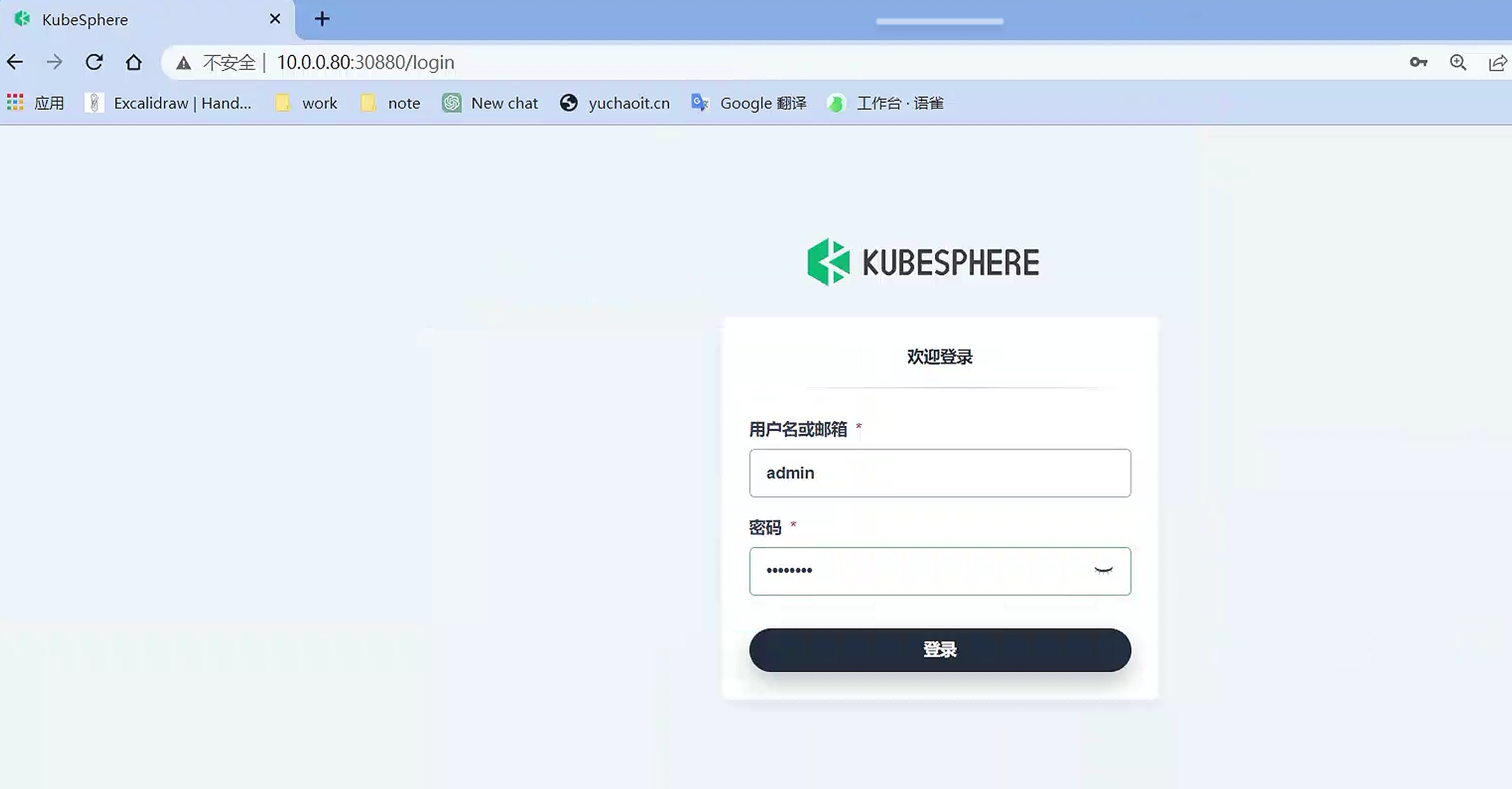
登录kubesphere
默认是service的node-port类型

[root@k8s-master ~]#kubectl -n kubesphere-system get svc
NAME                    TYPE        CLUSTER-IP       EXTERNAL-IP   PORT(S)        AGE
ks-apiserver            ClusterIP   10.104.148.223   <none>        80/TCP         16m
ks-console              NodePort    10.102.208.134   <none>        80:30880/TCP   16m
ks-controller-manager   ClusterIP   10.110.1.16      <none>        443/TCP        16m
[root@k8s-master ~]#

你也可以修改为ingress访问

# 重置密码
# https://kubesphere.io/zh/docs/v3.3/faq/access-control/forgot-password/

[root@k8s-master ~]#kubectl patch users admin -p '{"spec":{"password":"Chaoge@@66"}}' --type='merge' && kubectl annotate users admin iam.kubesphere.io/password-encrypted-
user.iam.kubesphere.io/admin patched
user.iam.kubesphere.io/admin annotated
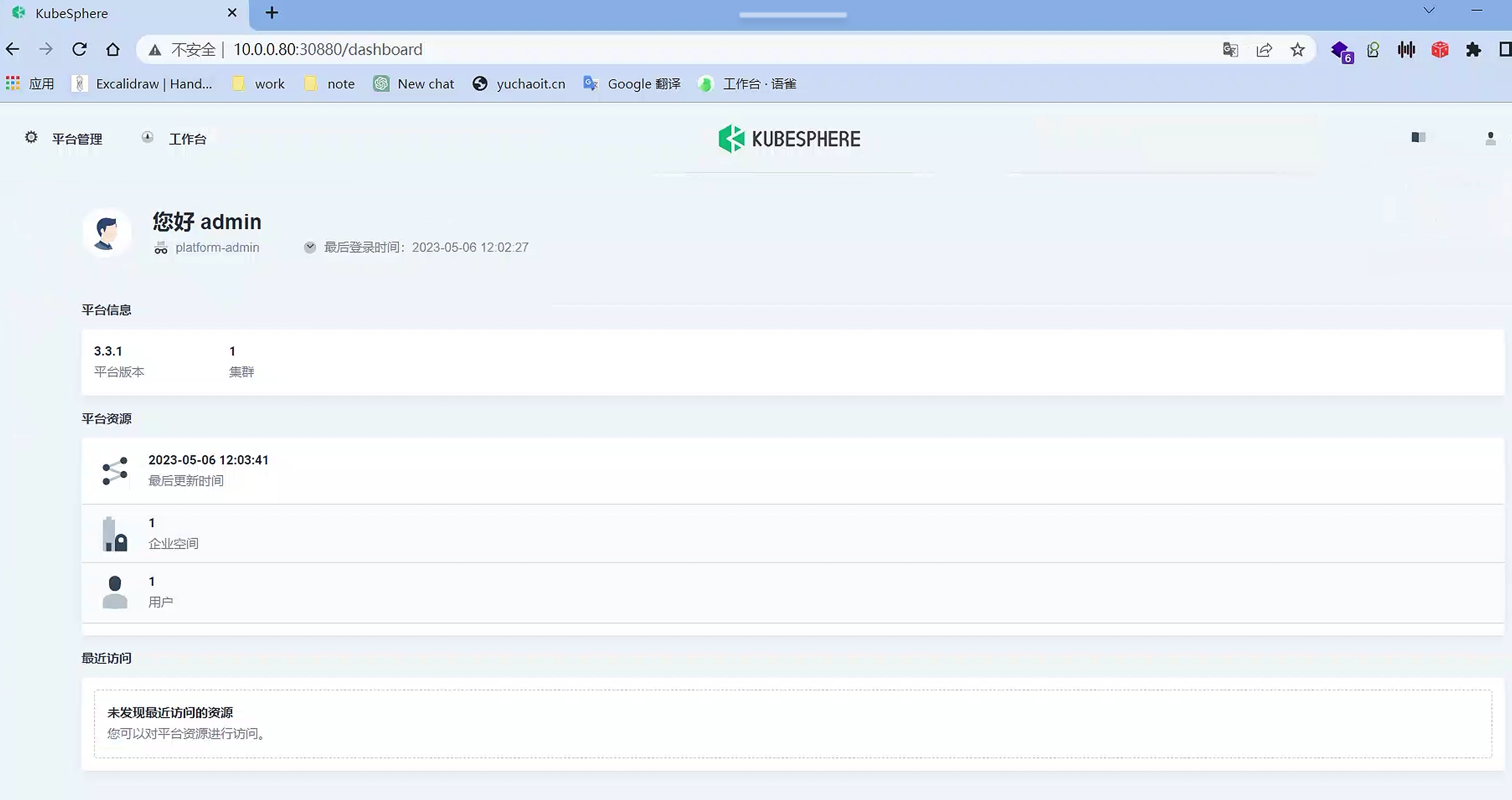
dashboard
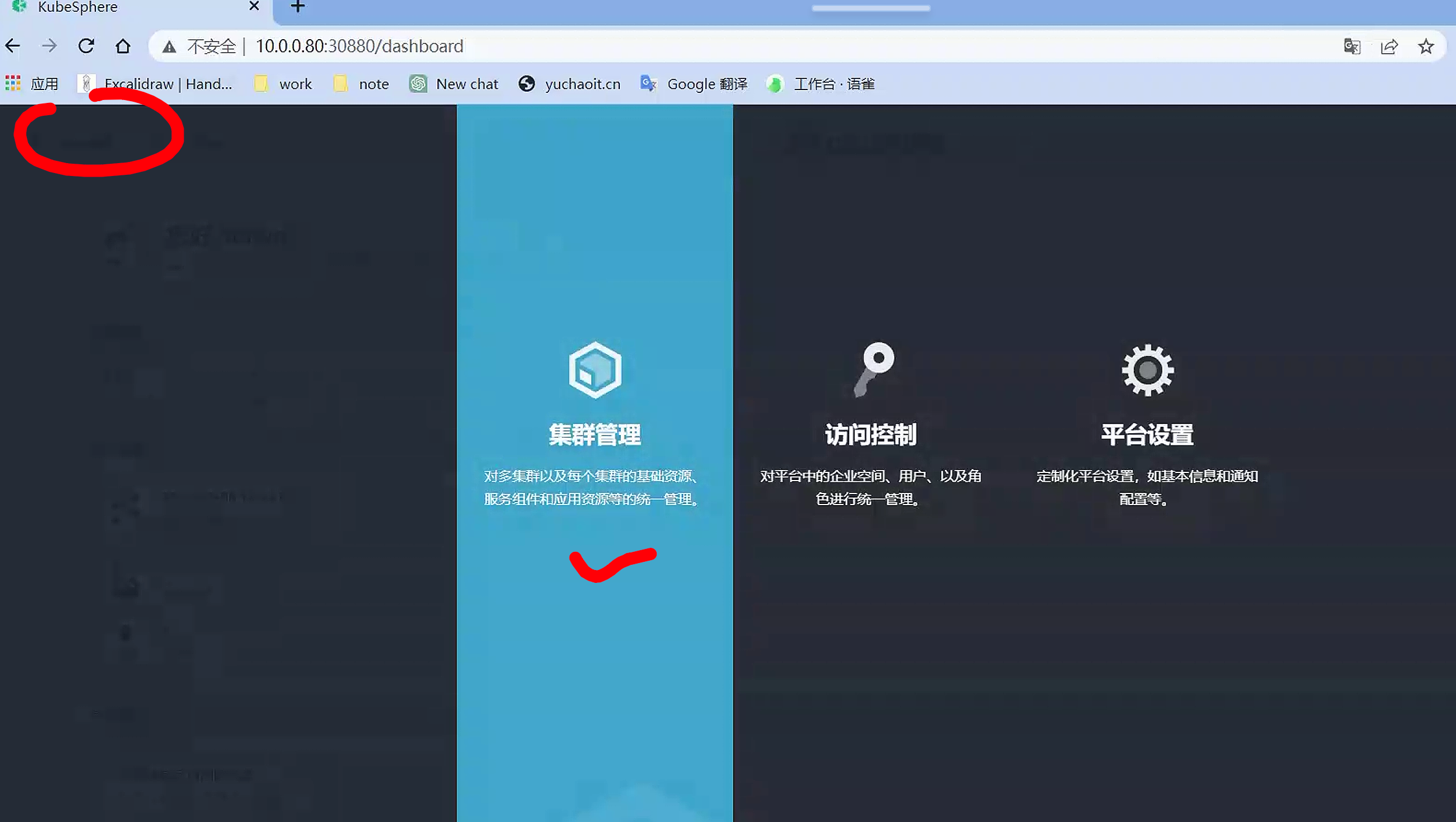
集群管理
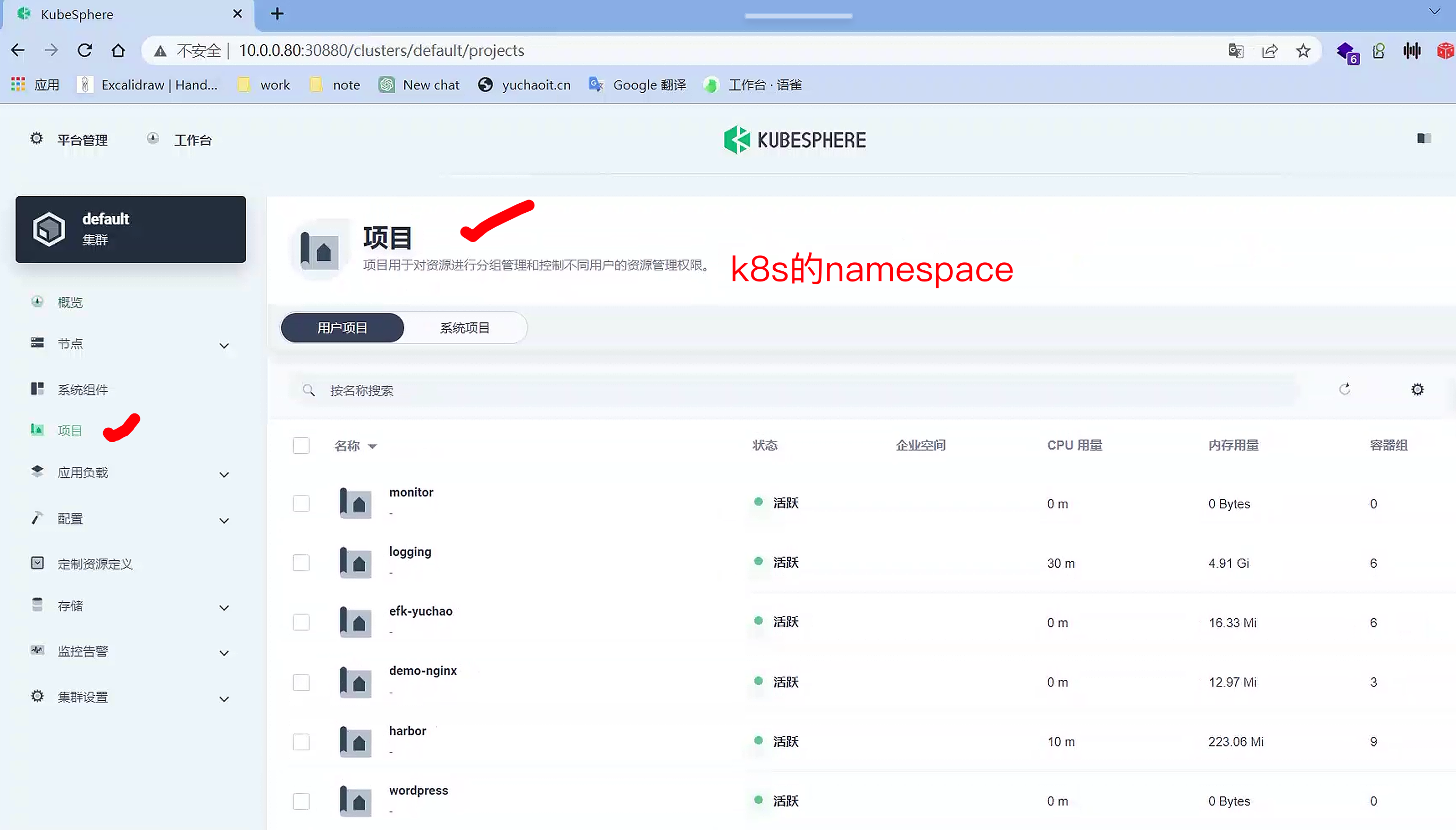
项目(namespace)
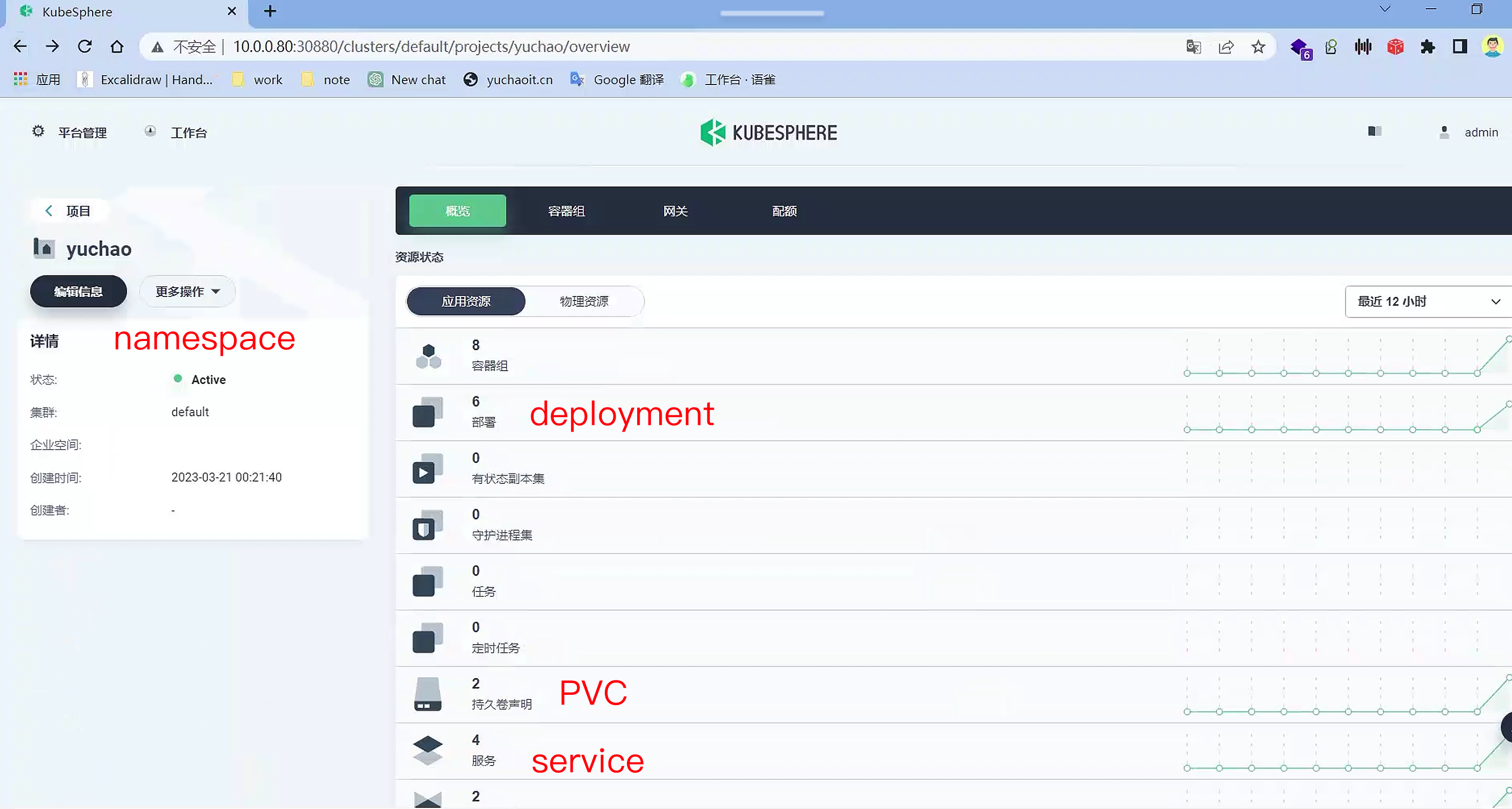
项目内资源状态
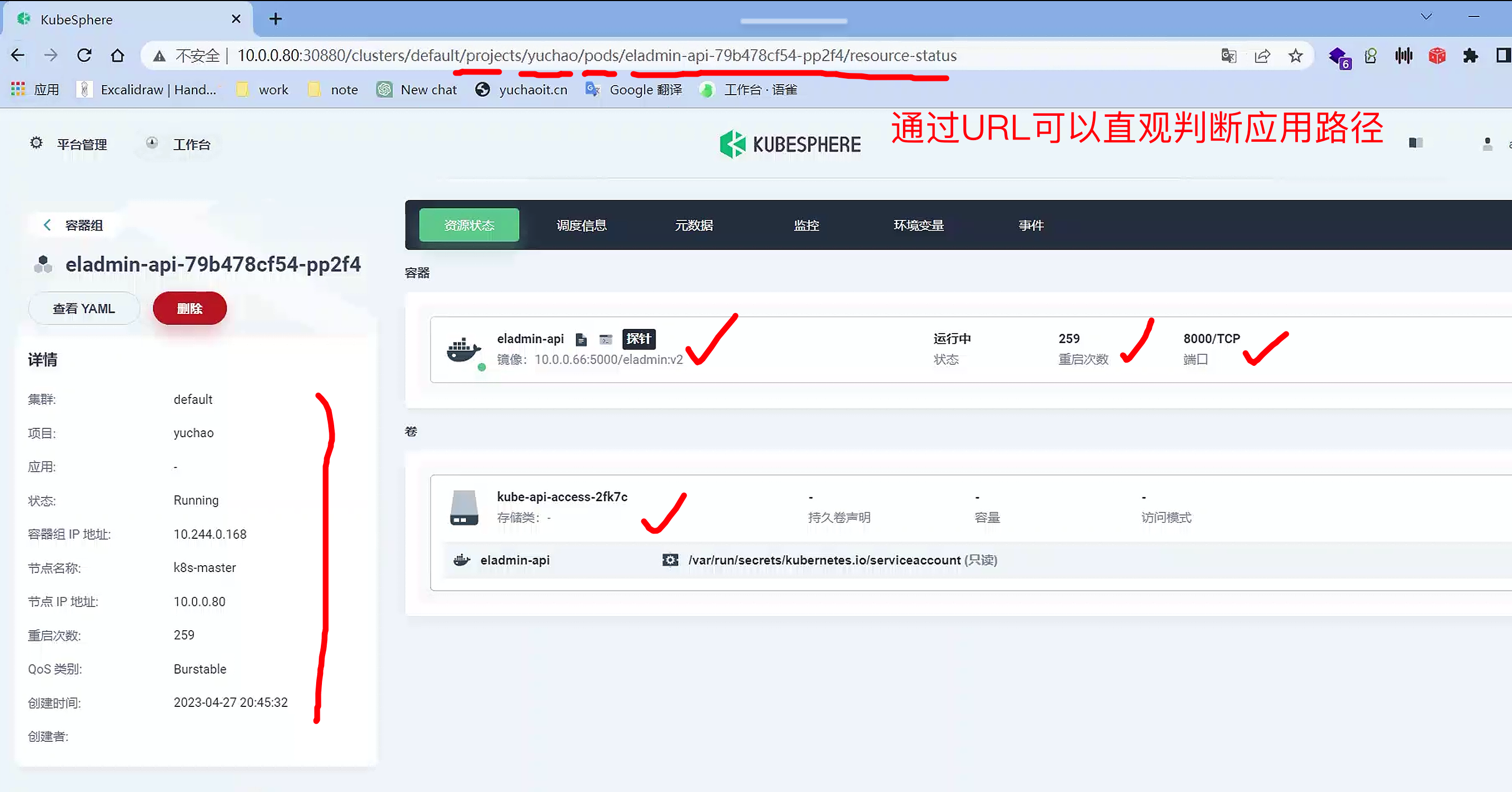
查看容器信息
namespace
↓
容器组
↓
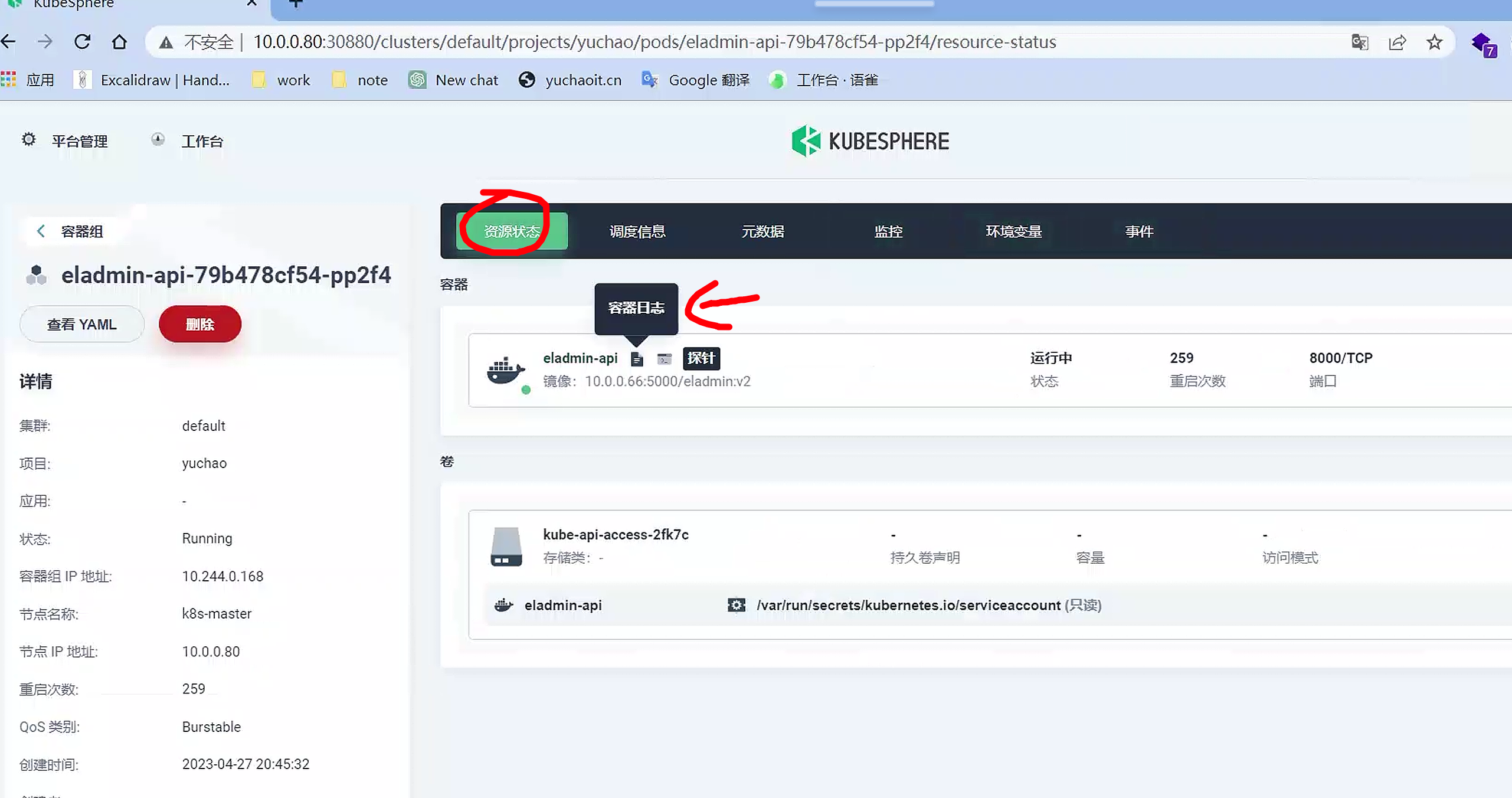
容器信息
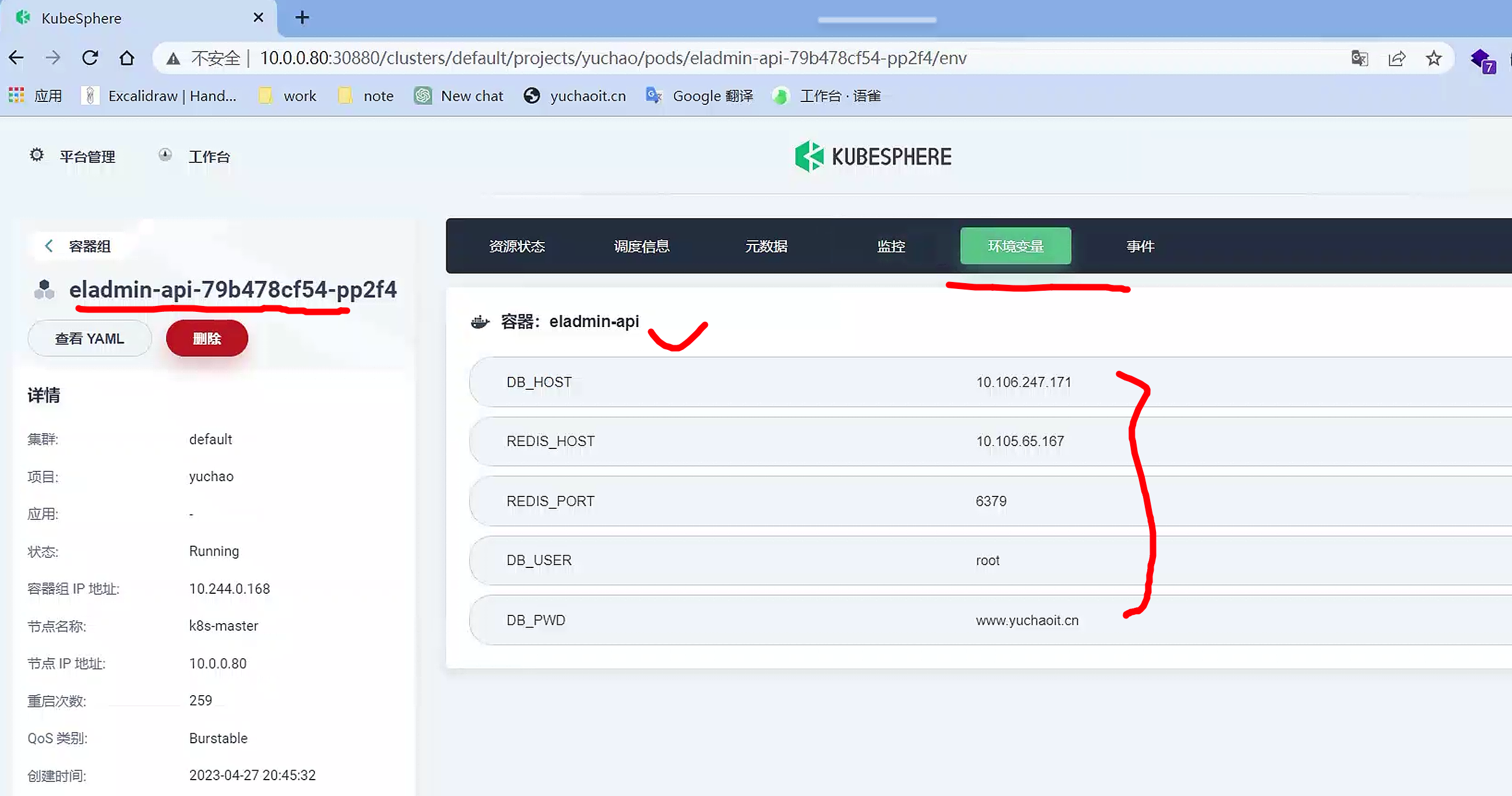
容器环境变量
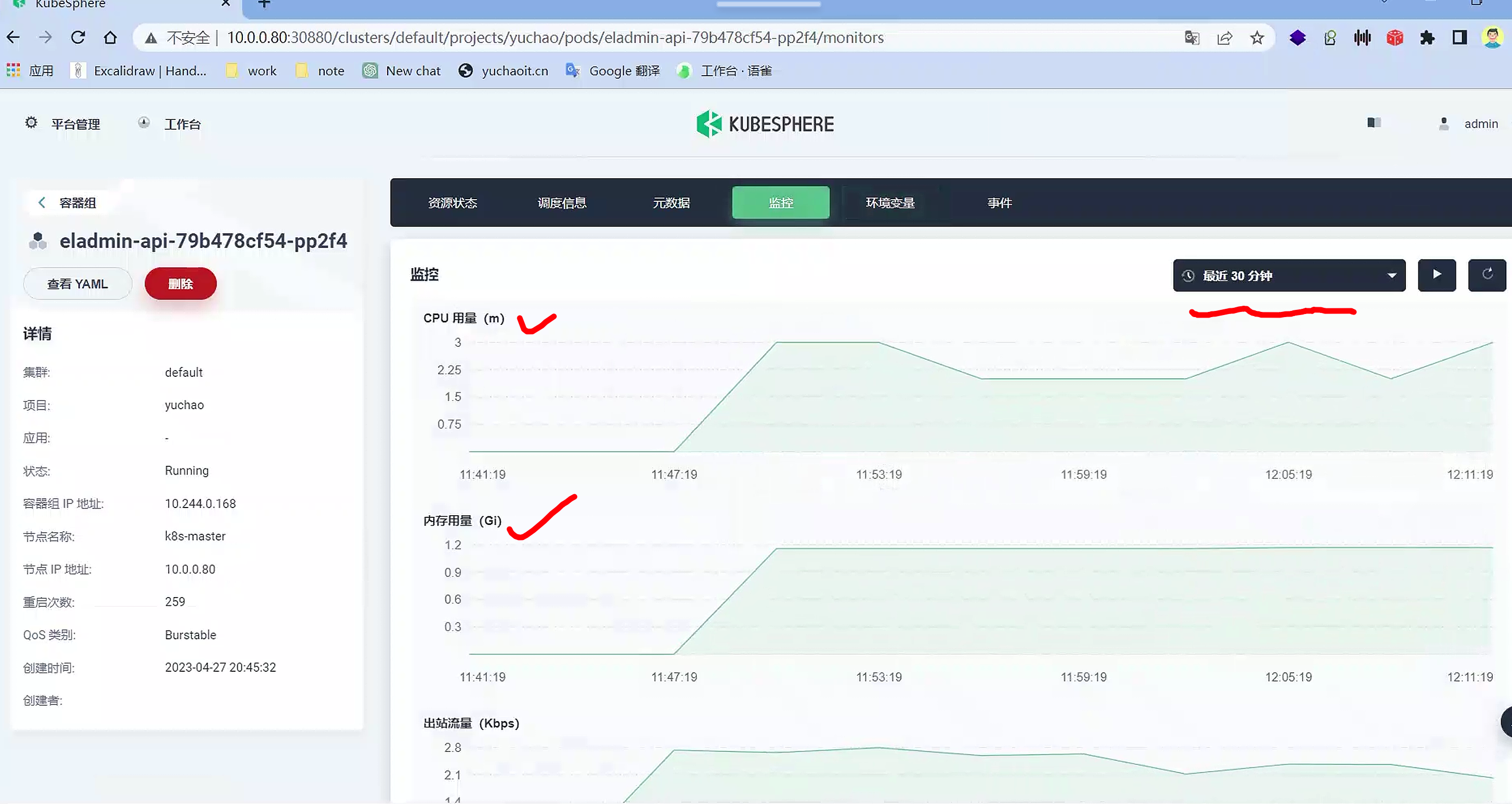
容器监控
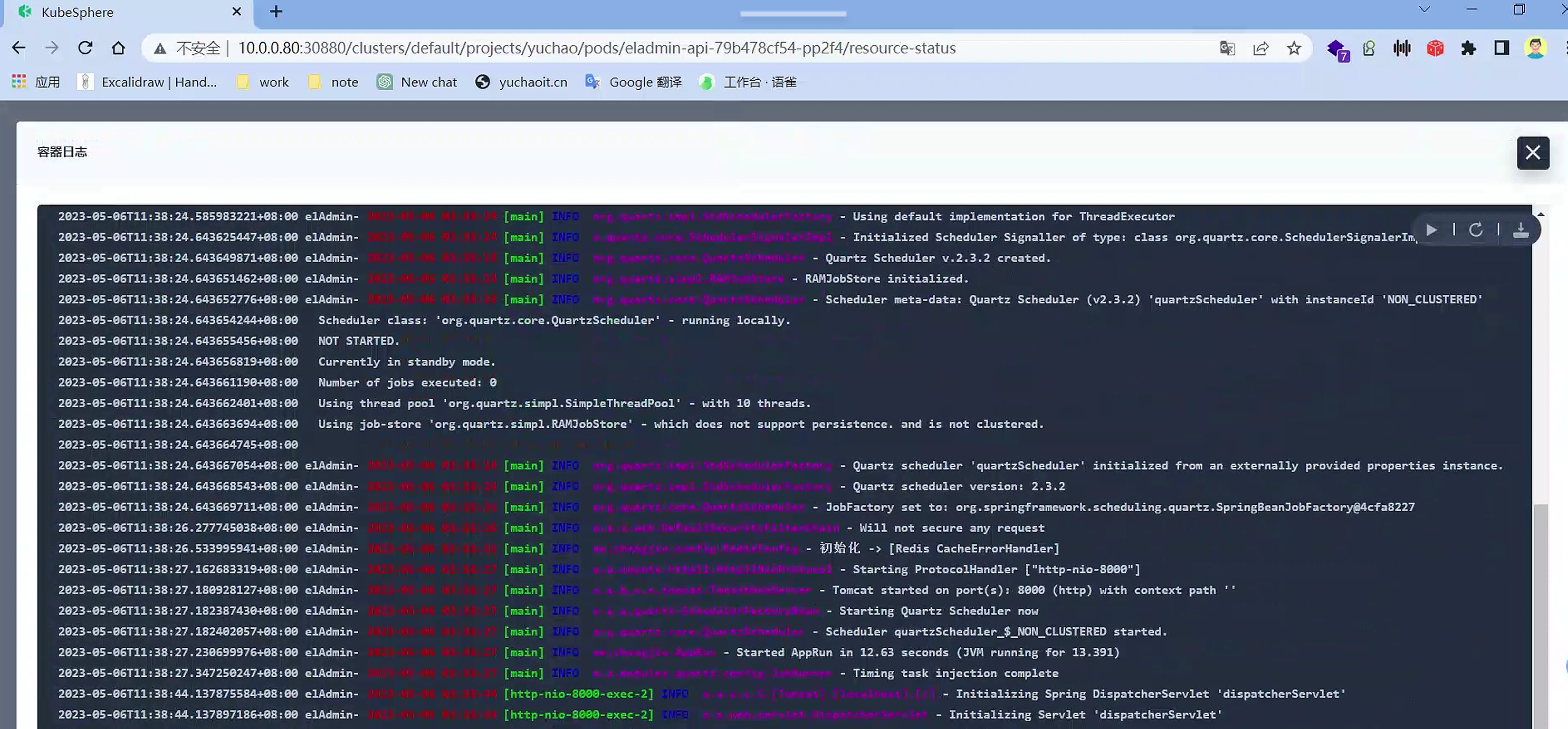
容器日志
管理集群非常方便
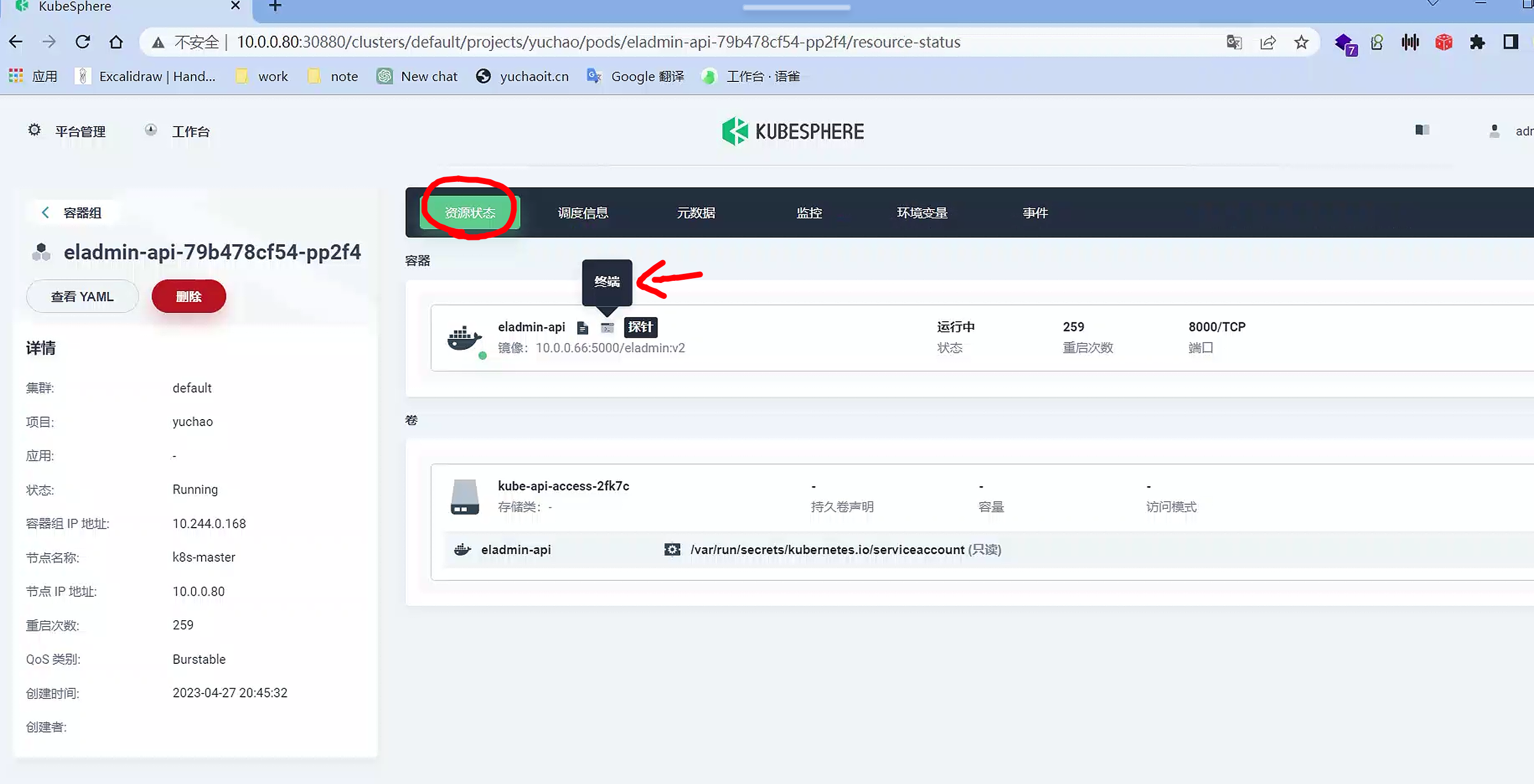
容器终端exec
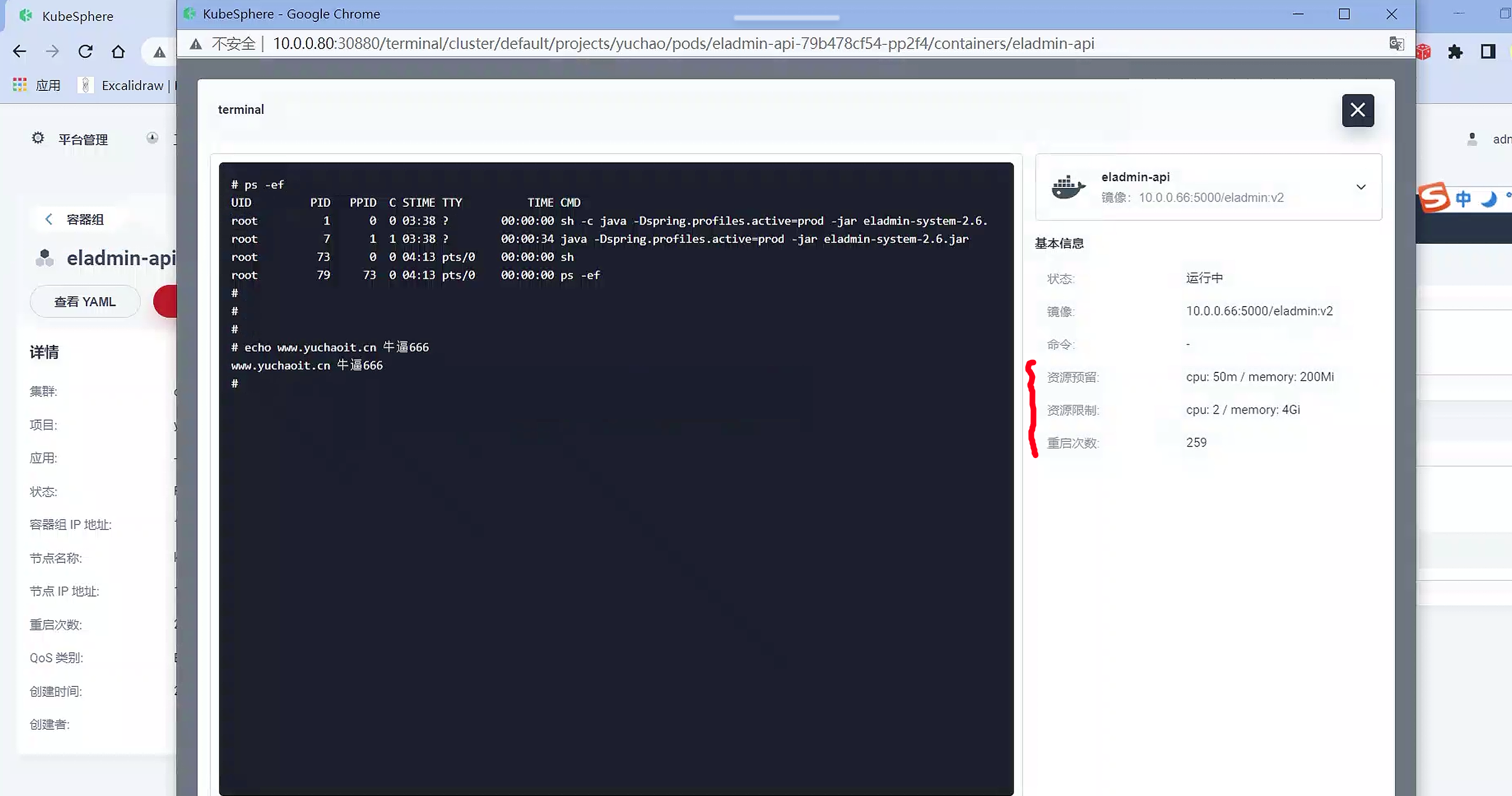
查看资源yaml
省的你去集群内
kubectl get po xxx -oyaml

# 并且支持下载yaml功能

service管理
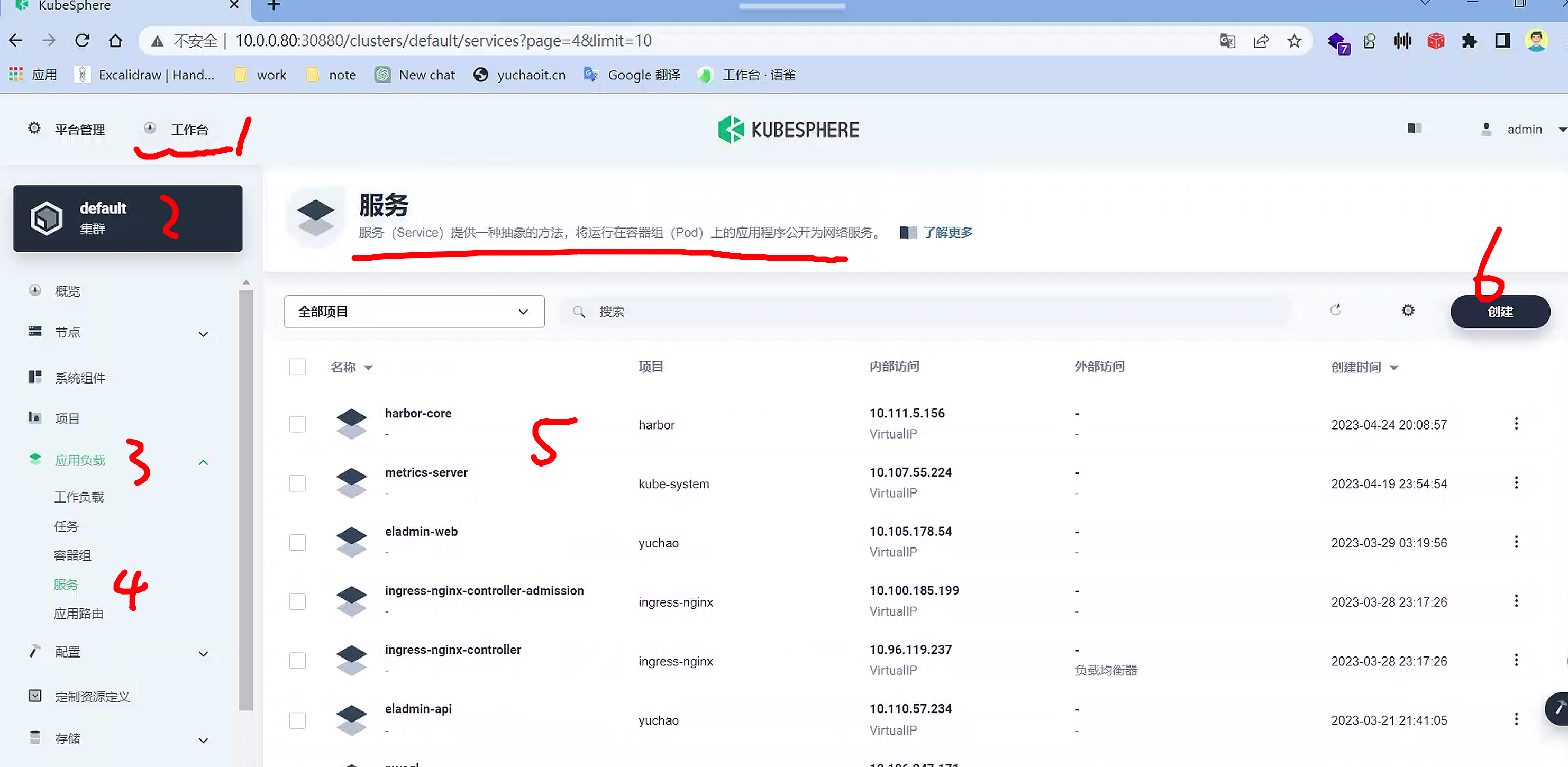
提供了可视化的svc查看、创建
都是k8s基础概念,改为了点击操作。
访问控制
KubeSphere 的企业空间(Enterprise Space)是用于组织和管理多个团队和项目的高级概念。
企业空间提供了一个多租户的环境,用于资源隔离、权限控制和统一的管理。
而在 Kubernetes 中,Namespace 是用于将集群内的资源进行逻辑分组和隔离的机制。它用于避免资源命名冲突并提供一定程度的隔离。
在 KubeSphere 中,企业空间与 Kubernetes 的 Namespace 是不同的层级概念。企业空间是一个更高级别的组织单位,用于管理多个项目和团队,提供资源隔离和权限控制等功能。而 Kubernetes 的 Namespace 用于组织和隔离 Kubernetes 资源,如 Pod、Deployment 和 Service 等。
在 KubeSphere 中,可以在企业空间下创建多个项目,并为每个项目创建对应的 Kubernetes Namespace。这样,每个项目都可以在独立的 Namespace 中管理其资源,实现隔离和权限控制。
同时,KubeSphere 提供了用户和角色管理,可以将用户分配到企业空间和项目中的不同角色,以控制其对资源的访问和操作权限。
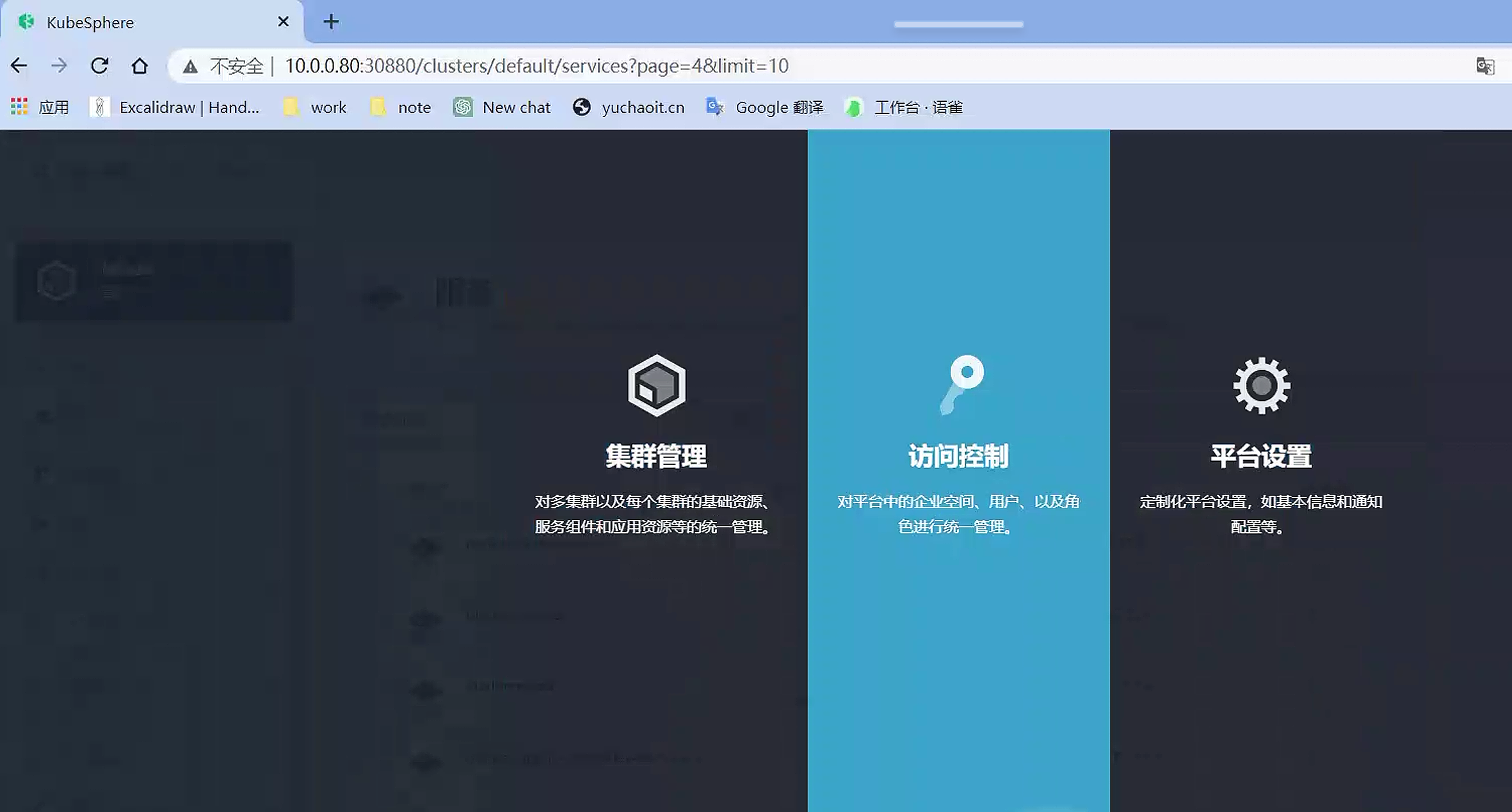
我们目前使用admin操作,必然是最大化管理权限,公司里要按人员角色,完成权限分配。
在项目namespace,维度上,还有一个企业空间,再上一层的概念。
创建用户

yuchao
yuchao123Q

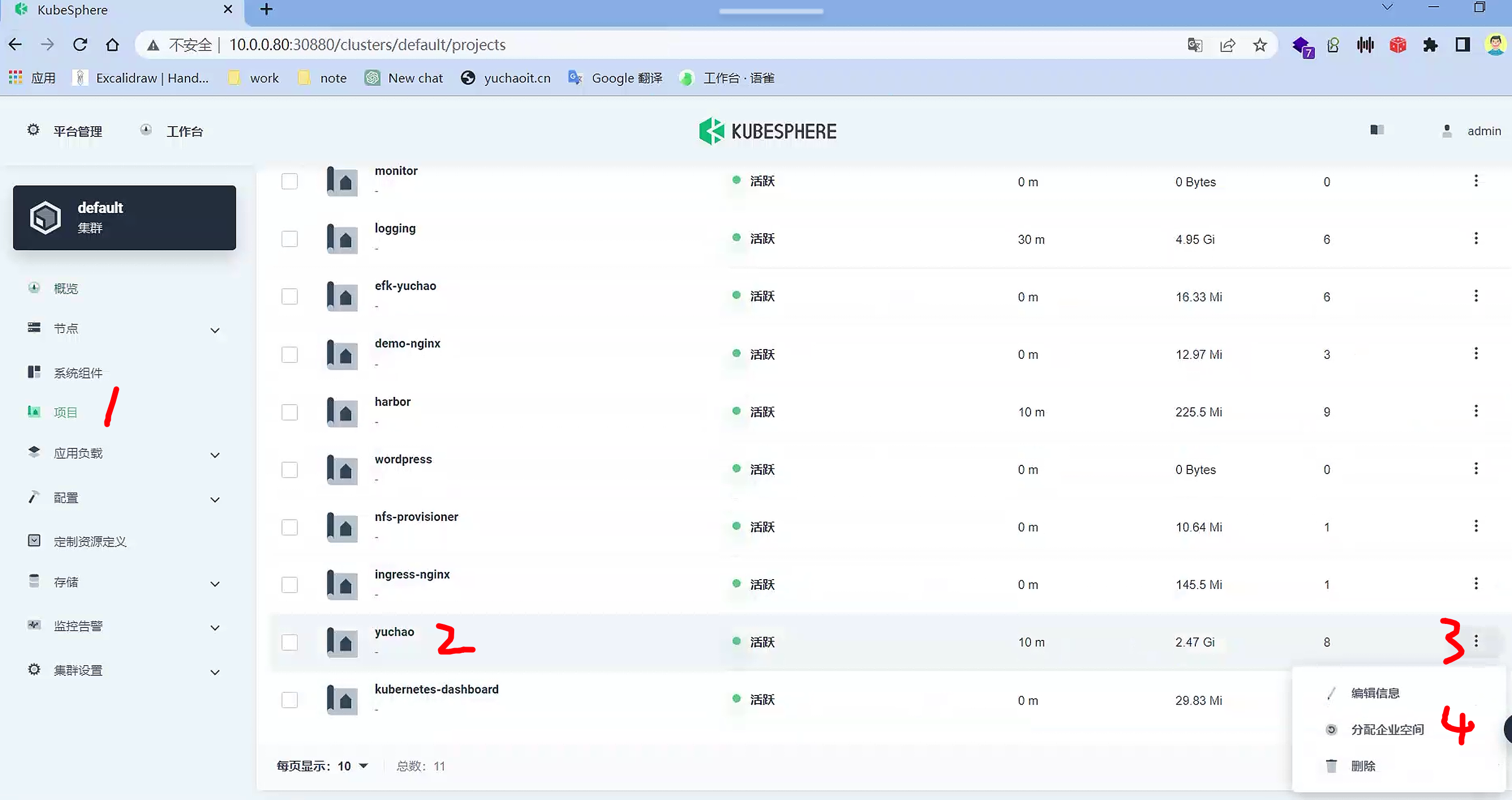
创建企业空间
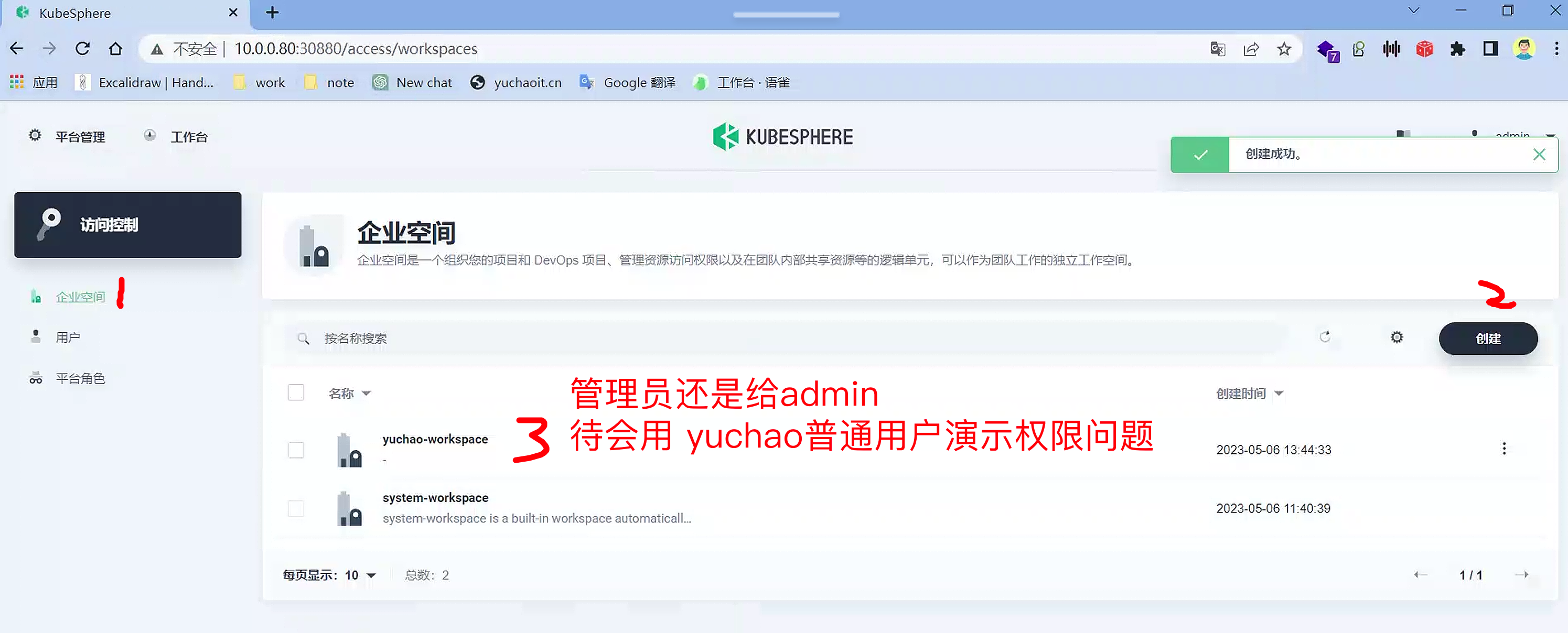
namespace分配企业空间
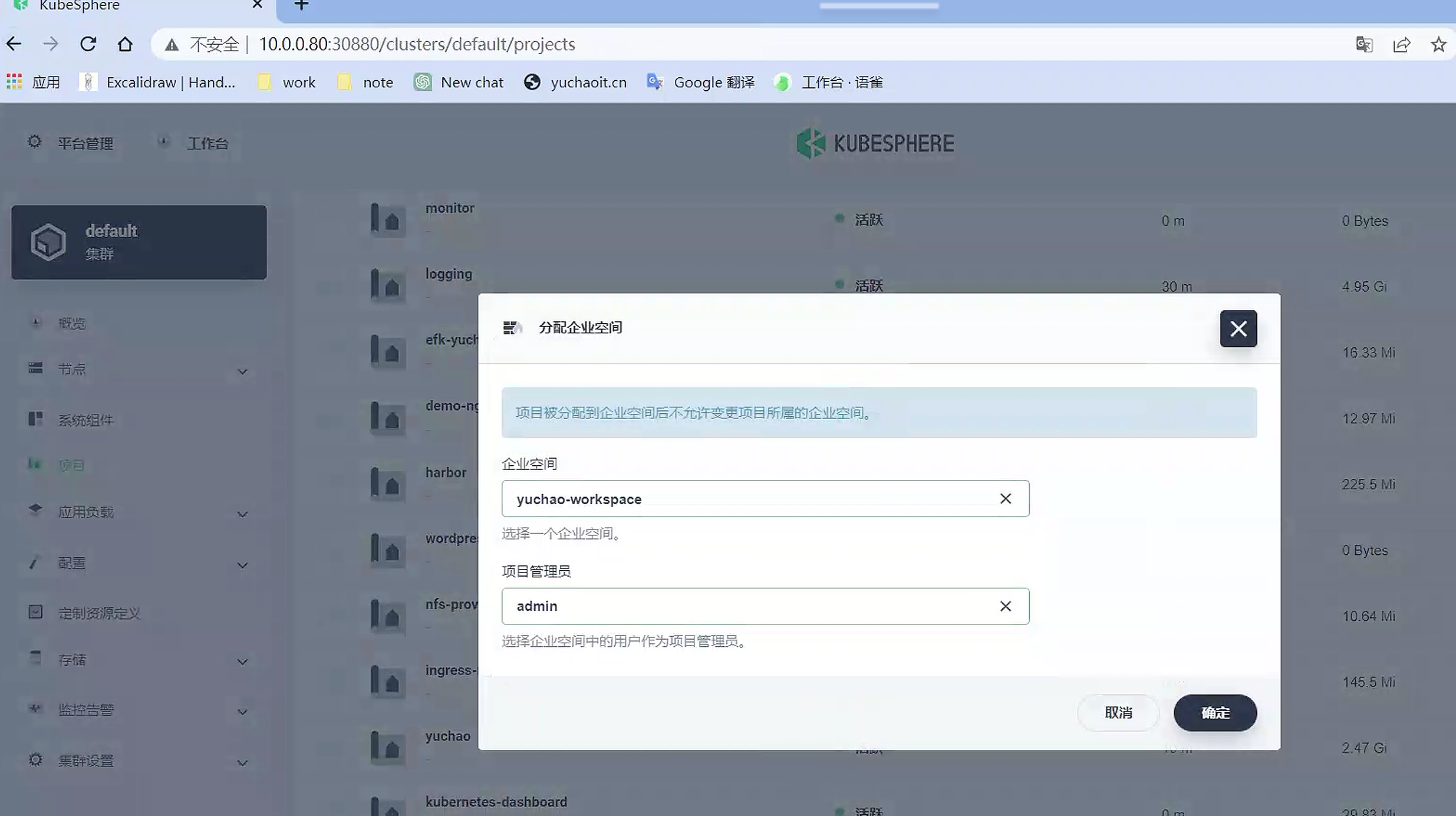
项目管理员
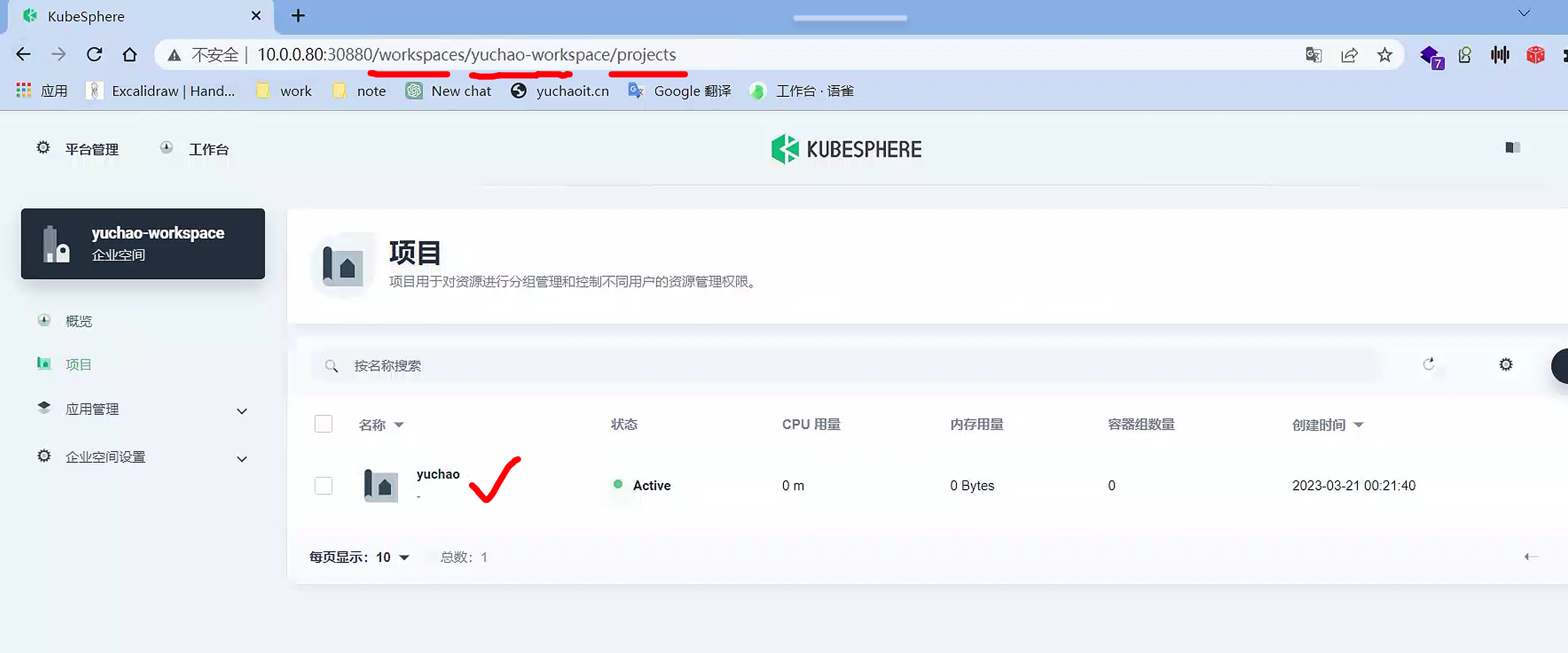
把namespace分配给了企业空间
查看企业空间
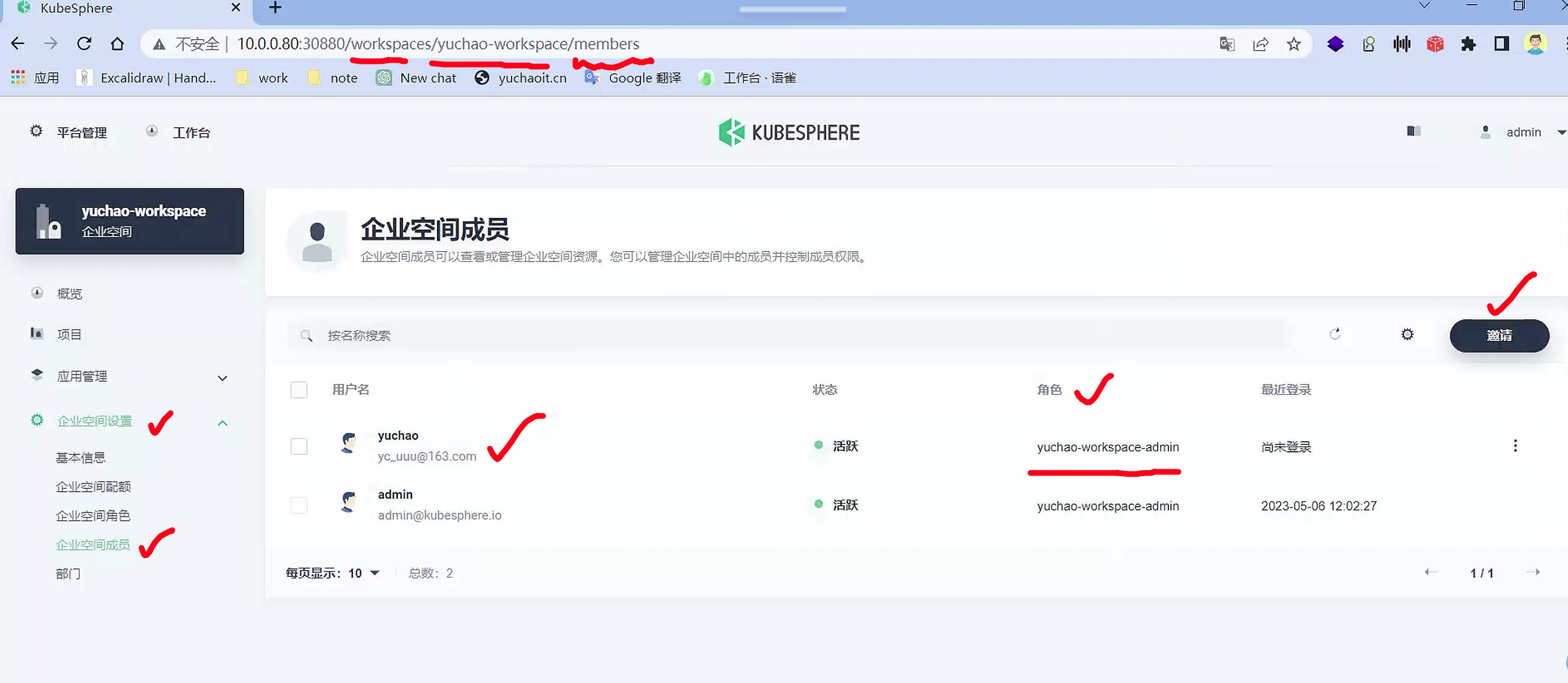
邀请成员加入企业空间
以及给该员工,分配什么权限
使用普通用户登录
yuchao
yuchao123QQ

普通用户登录后,就只能看到自己工作台的一些内容了
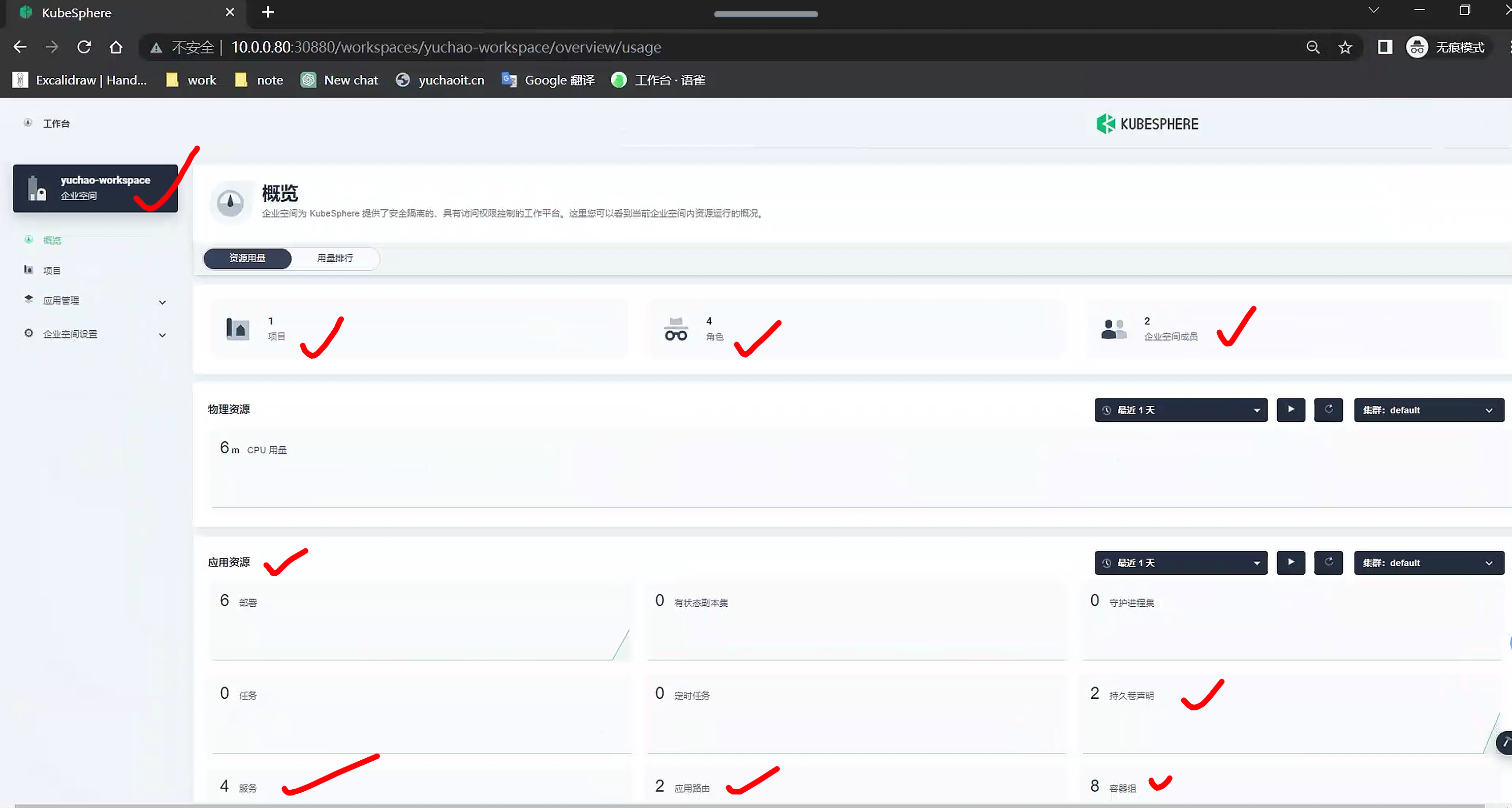
普通用户实践
登陆后即可完成日常你对k8s集群下的维护工作,yuchao用户只被允许访问了某一个namespace下的数据。
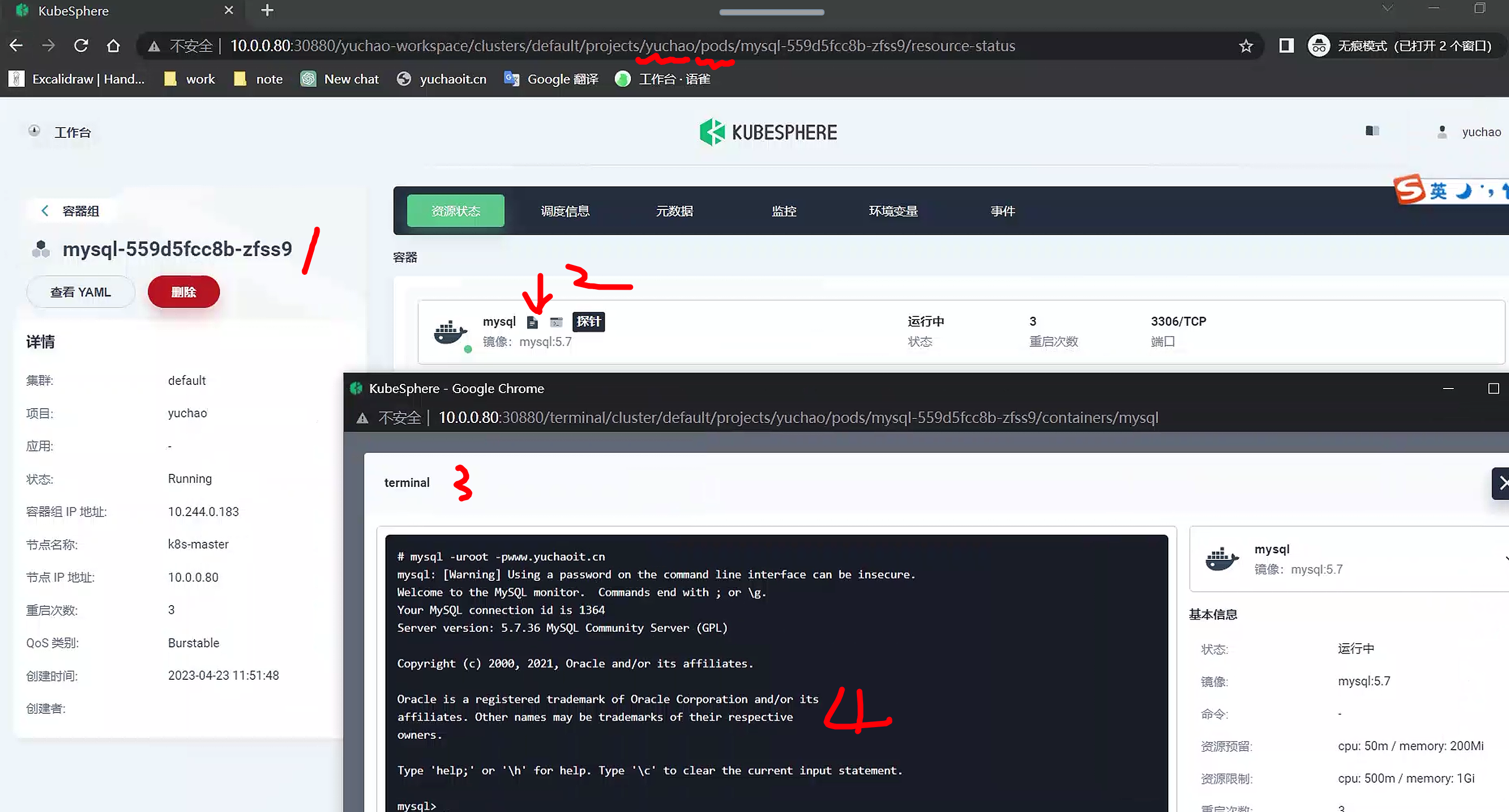
小节
使用kubesphere可以极大的方便k8s集群的日常运维,更多的看官网文档,实践操作即可。
本质就是将你以前命令行的yaml操作,开发成了可视化点击运维平台。